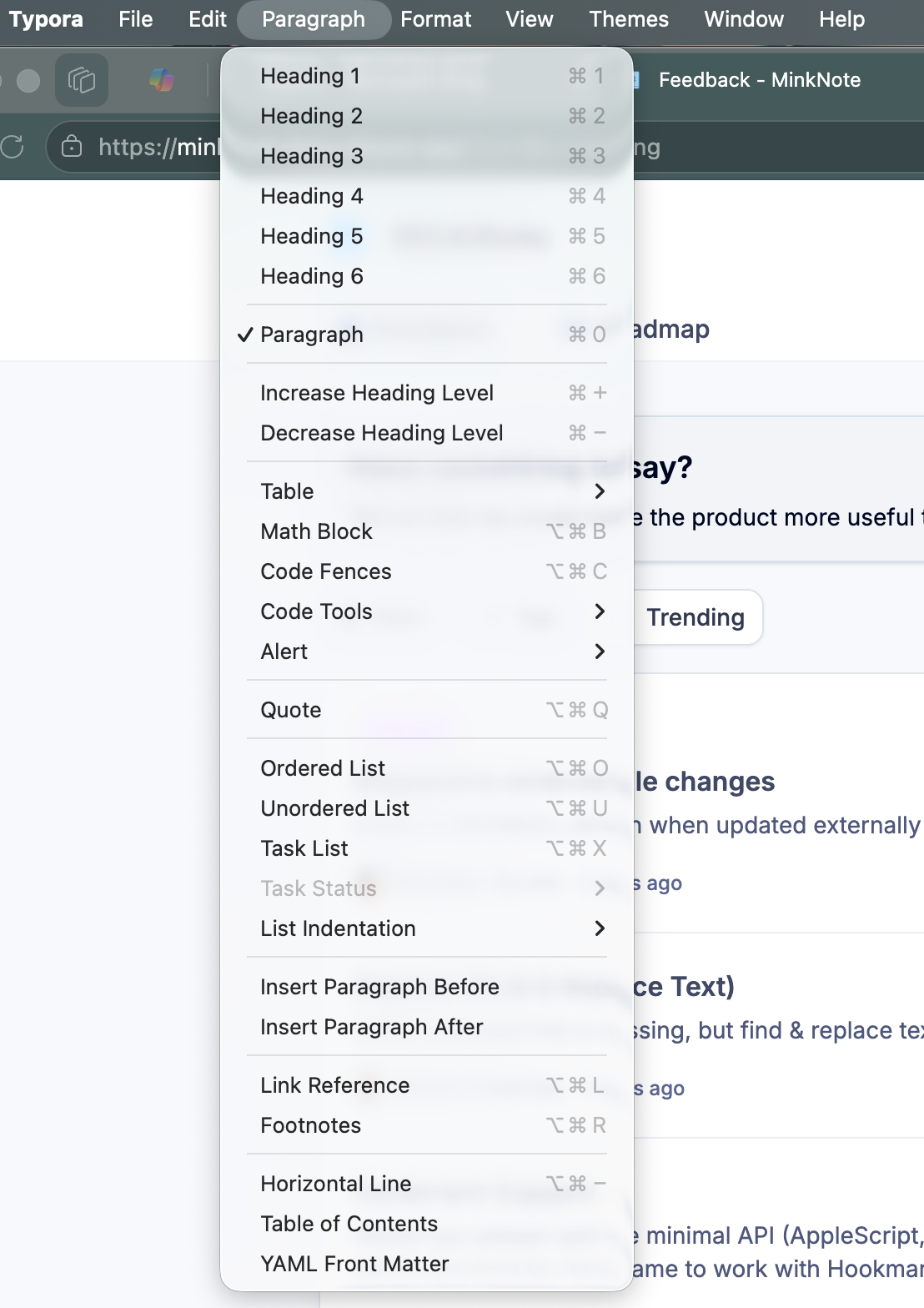
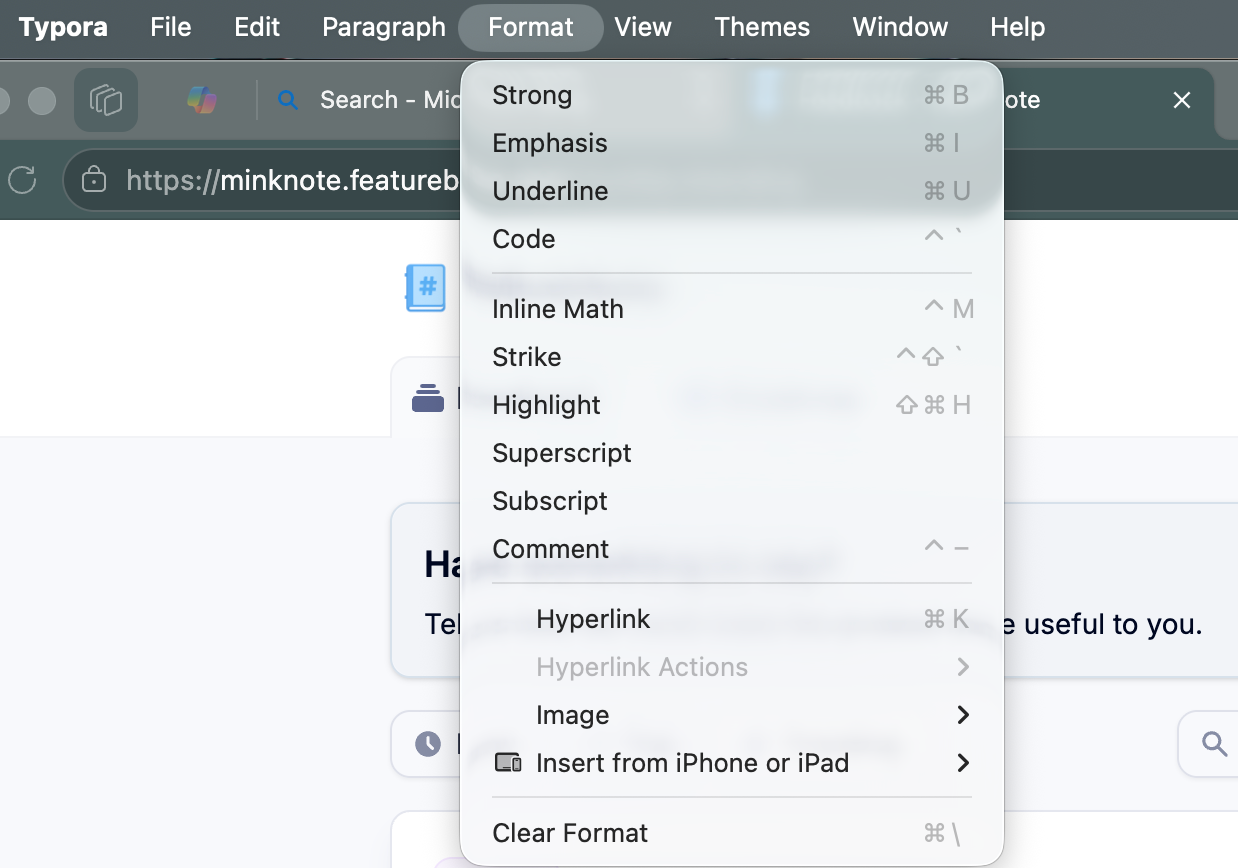
Need keyboard shortcuts for formatting. For example: heading 1, heading 2. See how this works now in Typora, which is the markdown editor I have been using.
Won’t let me edit my own post. I found how to see the shortcuts, so here is my updated request: I see them in the menu at the bottom of the page, but can you add them to the main menu. Any way to make it so most are not requiring three keys?
Demian Turner
Team•
Aug 10
Hey Brock, thanks so much for your feedback!
A lot of the formatting options are already in the menu, see attachment.
For a first phase of improvement, I’m planning on making hover tooltips on the toolbar, like Slack, so it’s easier to find shortcuts.
As a second phase, I hope to make every shortcut customisable in Prefs.
The 3 key situation is because I wanted to reserve panel collapsing for command 1-2-3, for many users this is used very frequently. Also many shortcuts are reserved by macOS for things like changing spaces, so when choosing I had to respect pre-existing default.
Happy to tweak if we get a lot of users asking for the same thing!
Log in to comment and vote
Comments2
Brock Freeman
Aug 8
Won’t let me edit my own post. I found how to see the shortcuts, so here is my updated request: I see them in the menu at the bottom of the page, but can you add them to the main menu. Any way to make it so most are not requiring three keys?
Demian Turner
Aug 10
Hey Brock, thanks so much for your feedback!
A lot of the formatting options are already in the menu, see attachment.
For a first phase of improvement, I’m planning on making hover tooltips on the toolbar, like Slack, so it’s easier to find shortcuts.
As a second phase, I hope to make every shortcut customisable in Prefs.
The 3 key situation is because I wanted to reserve panel collapsing for command 1-2-3, for many users this is used very frequently. Also many shortcuts are reserved by macOS for things like changing spaces, so when choosing I had to respect pre-existing default.
Happy to tweak if we get a lot of users asking for the same thing!